
Give a mark and discuss the reasoning behind it
Work format: Grading
Grading is used when you want to quickly understand what a group thinks or how they assess something. Participants give a score or grade using a slider, providing instant insight into opinions, expectations, or knowledge.
It works well for questions such as:
- How safe does this situation feel?
- How satisfied are you with the current approach?
- How many days would you like to work from home?
Because everyone responds at the same time, you quickly get a representative view of the group—without interrupting the conversation.
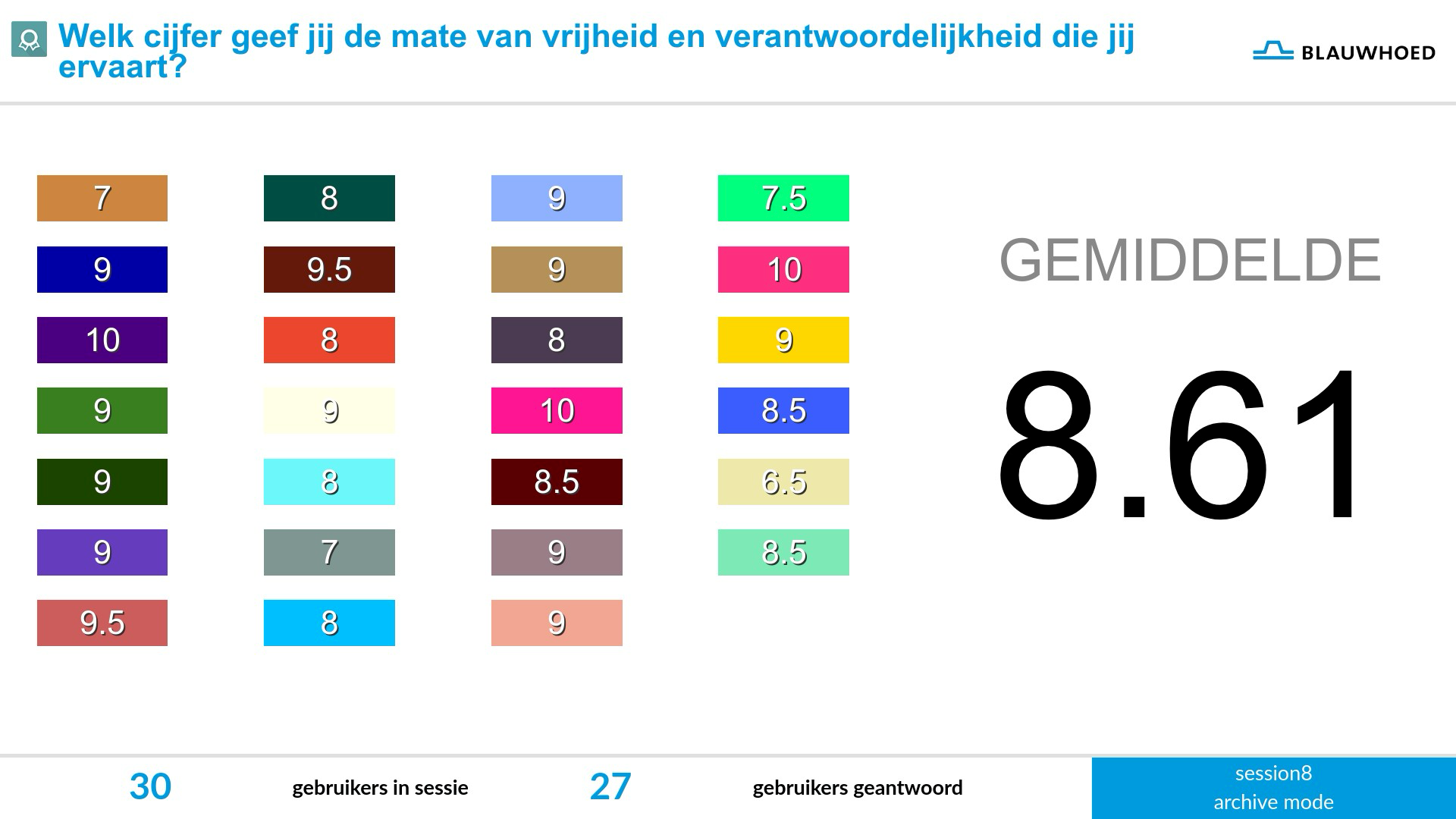
During a session, participants evaluate an idea, proposal, or design by giving it a score, for example a rating out of ten. They submit their score easily via their phone.
On the main screen, you immediately see how the group is scoring. Individual ratings are automatically combined into an average, giving you a clear overall picture at a glance.
Differences in scores become visible right away and provide a natural starting point for discussion. This way, Grading helps you quickly gain insight and move the conversation forward.
Yes, as a facilitator you can define the scale yourself. In the editor, you can set:
- the minimum value
- the maximum value
- the step size
This makes Grading flexible to use. For example, you can work with grades (1–10), percentages (0–100), quantities (e.g. 0–5 days), or time (e.g. years). By choosing the scale carefully, you influence how participants interpret the question.
It depends on what you want to measure. Choose a scale that fits the question and is intuitive for participants.
Common options:
- 1–10 for opinions (grades)
- 0–100 for percentages
- 0–5 or 0–7 for quantities
How simple and familiar the scale is, the faster participants respond and the easier it is to interpret the results.
A good Grading question is clear, specific, and focused on a single topic. Avoid combining multiple questions or using vague wording.
Good example:
- How satisfied are you with the current traffic situation?
Less effective:
- What do you think about safety and traffic flow?
Also make sure the scale matches your question logically. A well-chosen scale helps participants respond more quickly and consistently.
No—on the contrary. Participants submit their score on their phone with a single, simple action. This happens quietly, without anyone needing to speak.
That makes Grading ideal during presentations or sessions: as a facilitator, you stay in control, everyone can respond at the same time, and you instantly receive input from the entire group. This way, you add interaction without disrupting the flow of your story.
Use Grading as a starting point for discussion. First let everyone give their score, then discuss the outcome.
Helpful approach:
1. Ask the question and let participants score
2. Show the results
3. Follow up: why did people score high or low?
This way, you combine quick quantitative input with valuable insights from the group.
QandR does not currently offer a built-in feature to automatically combine scores across multiple questions or themes into a single ranking. However, you can achieve a similar result using existing features.
A practical option is the a href="https://www.qandr.eu/en/modules/poll" target="_blank">Poll, where participants can select multiple answers (for example, their top 3). This naturally creates a ranking in the results, which you can optionally convert into a points system manually.
A more detailed approach is Grading, where participants rate each option per theme. This provides more nuance but requires more effort. In this case, you will need to track total scores and rankings yourself (for example, on a flip chart or in a spreadsheet).