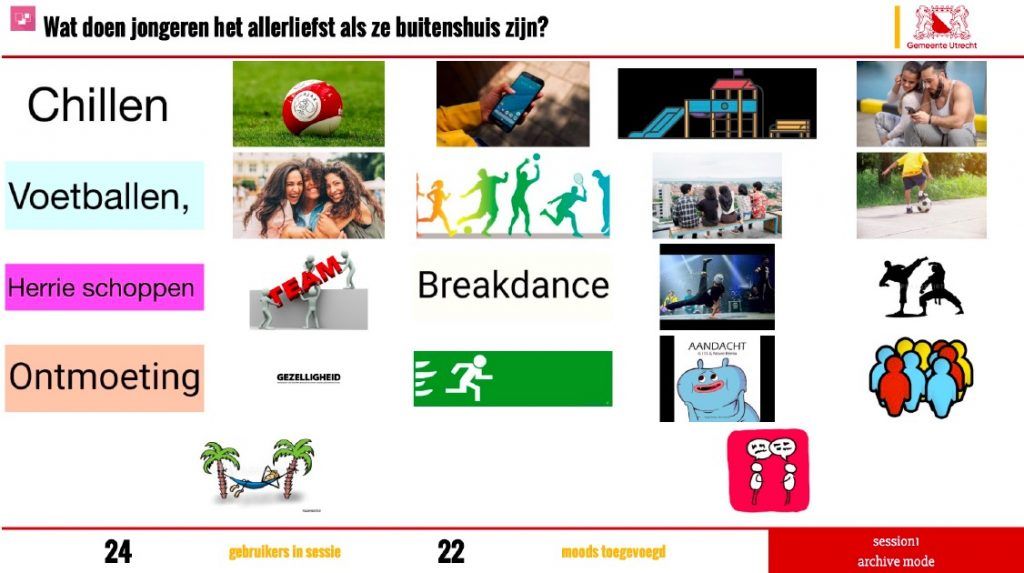












Clear overview of individual contributions. They can be discussed per participant.

Bring ideas, atmosphere and taste together in images
QandR's Moodboard module is ideal for visual brainstorming sessions that focus on topics such as taste, atmosphere and style. Participants don't put their ideas into words, they show them.
Using their phones, participants can easily add images to the shared mood board. They choose an image that fits their idea — for example, by searching for something, taking a photo or creating a visual card — and send it directly to the main screen. Step by step, a shared visual collage is created.
The discussion leader can highlight individual images and use them as a starting point for further exploration. What do you mean by this? What do others see in it? In this way, the Moodboard helps to concretise subjective ideas and get the conversation going, without everything having to be captured in words first.
Watch a video below where we demonstrate how the moodboard works.
Clear overview of individual contributions. They can be discussed per participant.
Global overview of submitted images. Individual images can be discussed by clicking and enlarging them.
Global, less workable overview of images. Individual images can however be discussed by clicking and enlarging them.
EXPLORE STYLE, ATMOSPHERE AND EMOTION VISUALLY