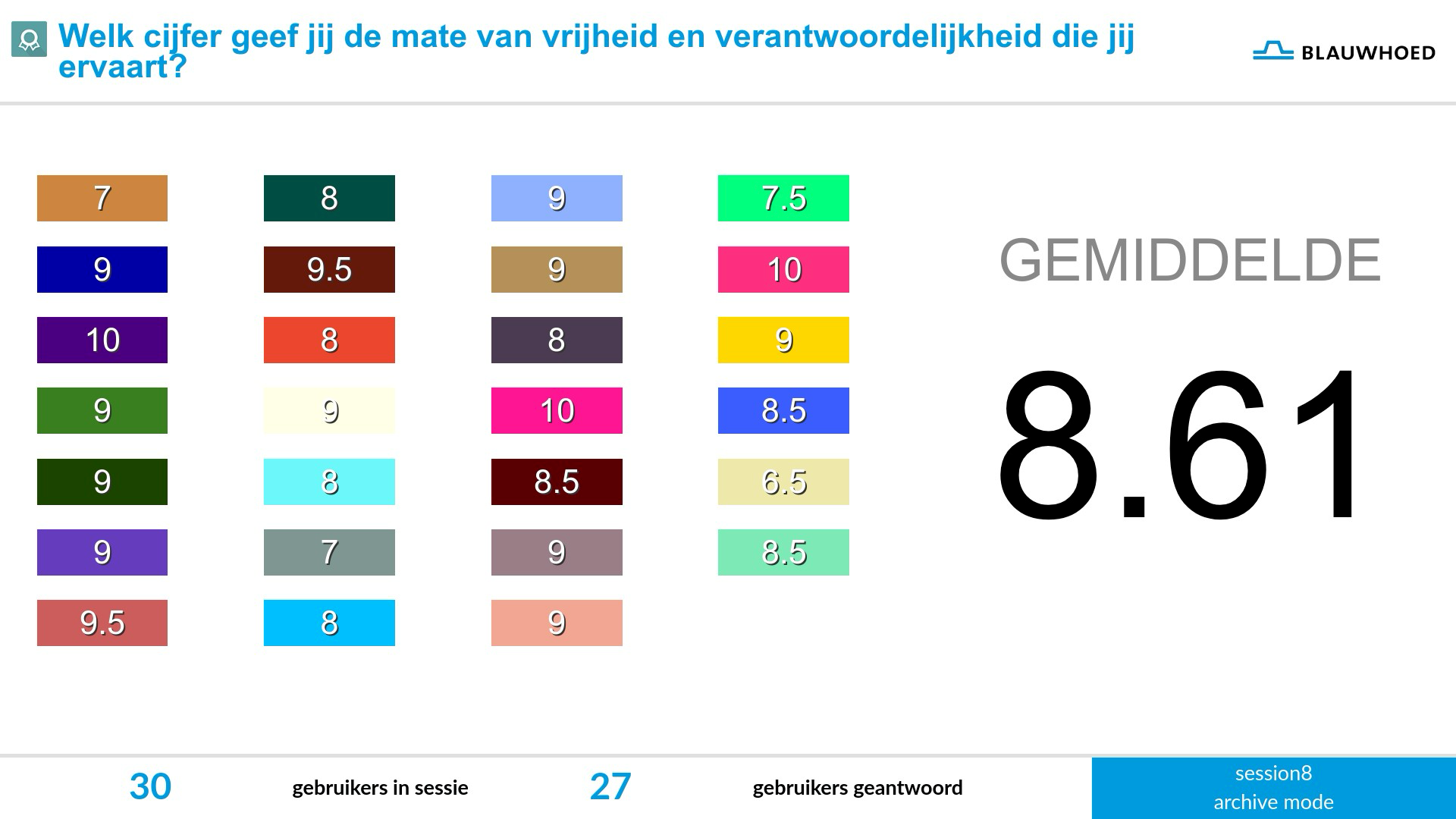












One’s own mark/color is directly identifiable. Room for discussion on each mark. Nuance because marks may keep changing during discussion.

Give a mark and discuss the reasoning behind it
Grading allows participants to give a score or grade using a slider on their phone. With one simple movement, they can reveal their assessment without interrupting the conversation.
In the editor, the facilitator determines the scale: the minimum and maximum values and the step size. This makes Grading widely applicable for anything that can be quantified, such as estimating driving speeds, the number of days people want to work from home, or placing an event within a certain period. By playing with the scale, the same working method can reveal opinions, expectations, and factual knowledge.
Grading is therefore an accessible but powerful way to quickly gain insight into how a group feels about something or what they know.
Translated with DeepL.com (free version)
Watch a video below where we demonstrate how the grading works.
One’s own mark/color is directly identifiable. Room for discussion on each mark. Nuance because marks may keep changing during discussion.
Takes more time to identify one’s own mark/color. Clear insight into popularity of viewpoints. They can also be discussed.
A less readable large area with individual marks, but a clear average mark. Let people selectively have their say.
UNDERSTAND BOTH SCORES AND THE REASONING BEHIND THEM